 Aerio
One view.
Every flight.
Aerio replaces the spreadsheet with one connected platform for your management company, aircraft owners, and pilots — conflict-free dispatching, live schedules, and financial clarity in real time.
The Platform
A logic engine for a safer, smarter operation
Aerio cross-references maintenance, crew, and route rules automatically — so every booking is legal before it's ever confirmed.
Conflict-free dispatching
The engine checks maintenance schedules, qualified pilot availability, rest times, and runway limits — preventing illegal dispatching before it happens.
One connected calendar
Owner flights, charters, ferries, and maintenance in a single colour-coded view. Everyone works from the same source of truth.
Real-time notifications
Approvals, schedule changes, and assignments reach owners and pilots instantly — no more phone tag or lost email threads.
The apps
Your whole operation, beautifully in hand
A native experience for owners and pilots, and a powerful web console for operators — all in sync, all in real time.
Owner & Pilot App
Your day, the moment you open the app
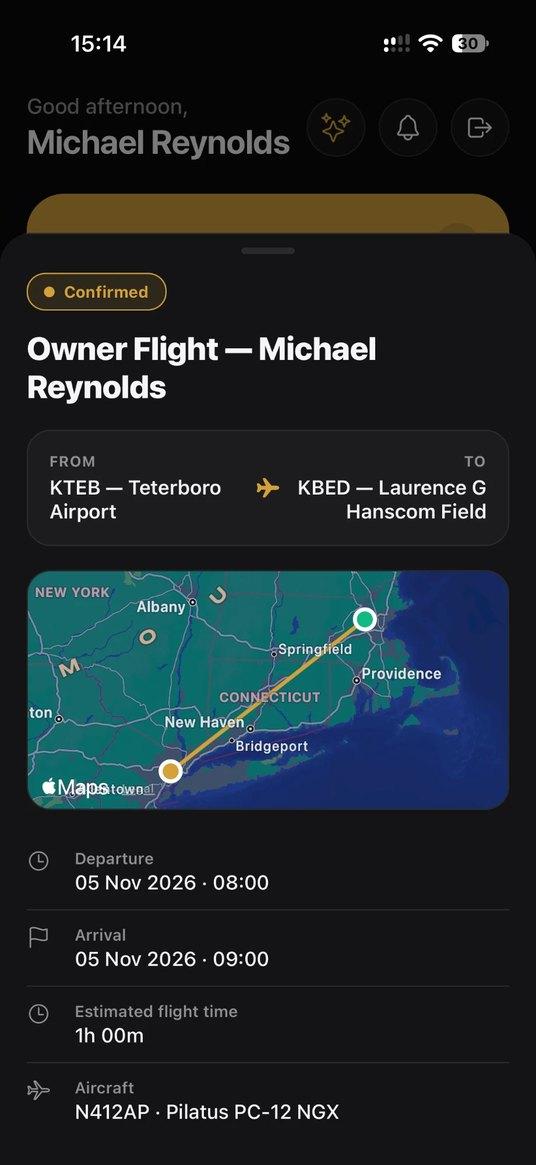
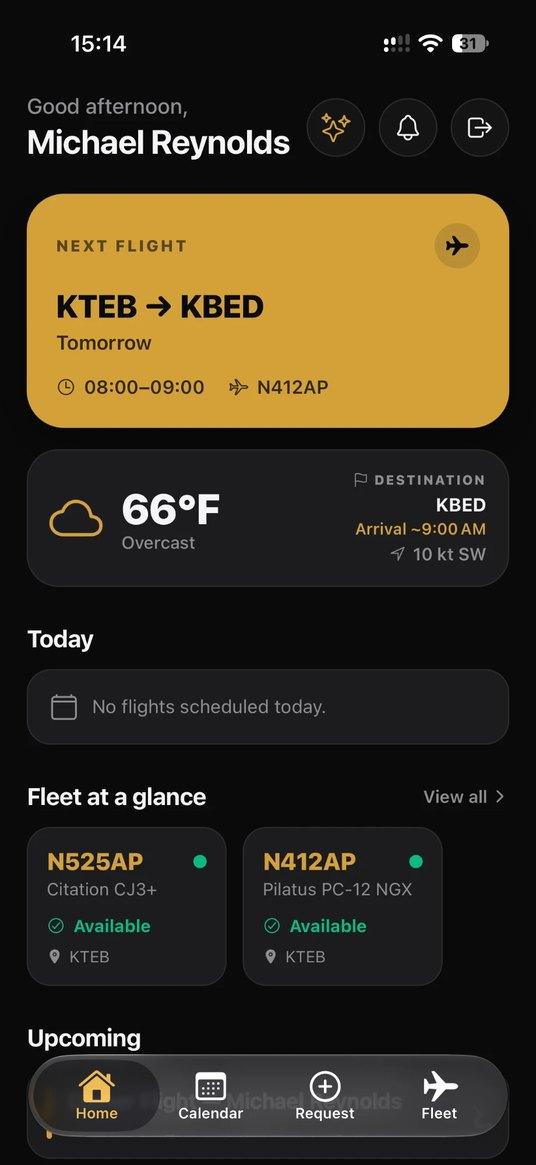
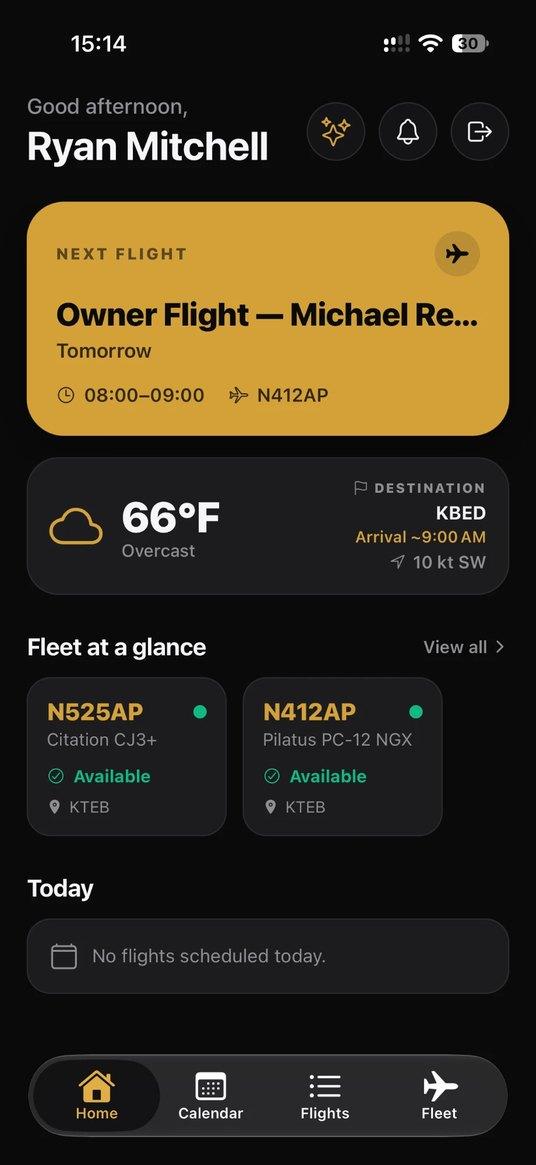
Your next flight, anything waiting on your approval, today's schedule, and fleet status — all on one home screen, updated in real time.
- Next flight & today's bookings up front
- Charter approvals surfaced the moment they land
- Instant push notifications
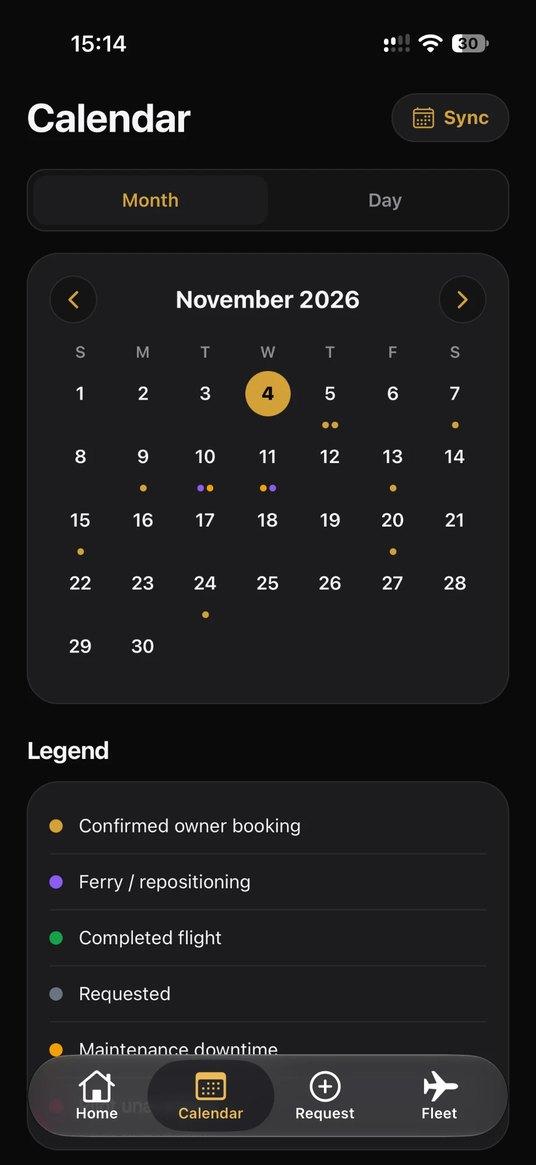
Calendar
Every flight, colour-coded
Confirmed bookings, ferries, charters, maintenance, and pilot availability in a single month view — so everyone sees the same source of truth.
- One colour per flight type
- Tap any day for full detail
- Owners, pilots & ops in sync
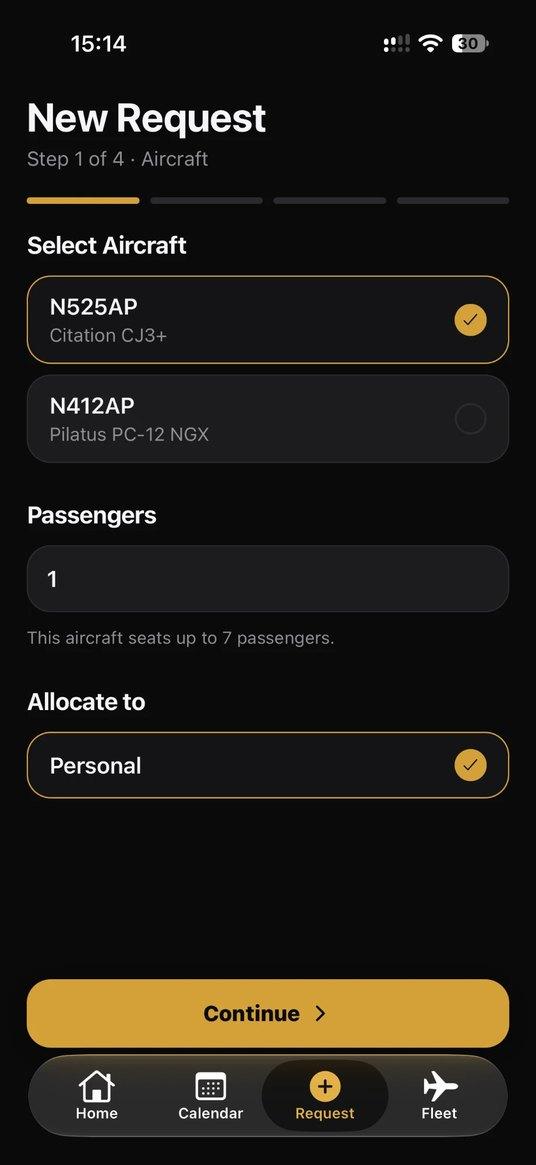
Requesting
Request a flight in four taps
Pick an aircraft, add passengers, allocate the cost, and choose your route. Behind the scenes the conflict engine checks maintenance, crew rest, and runway limits before it's ever confirmed.
- Guided four-step request
- Allocate to any account
- Conflict-checked automatically
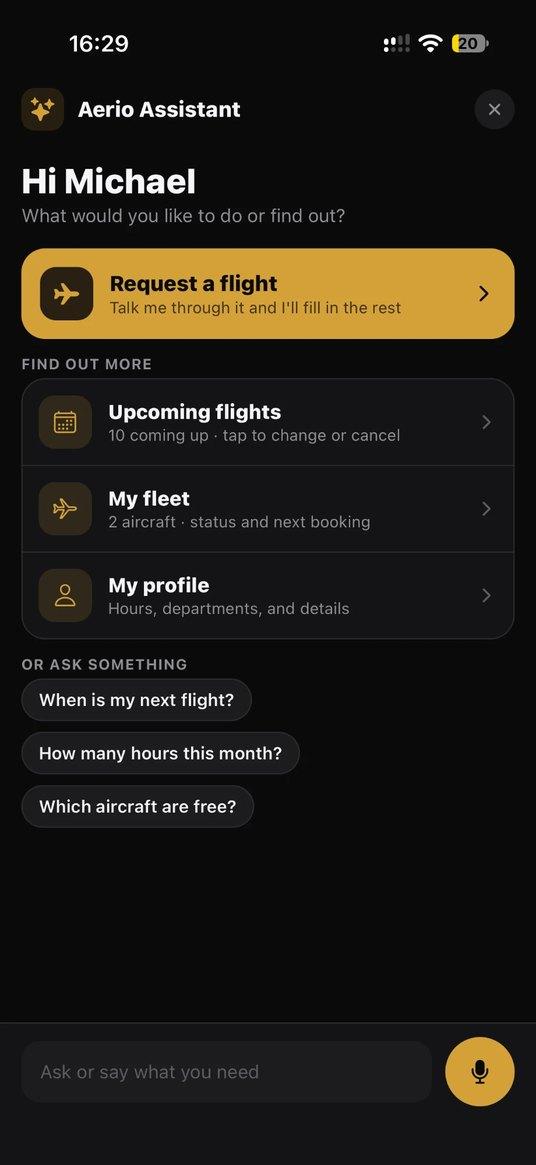
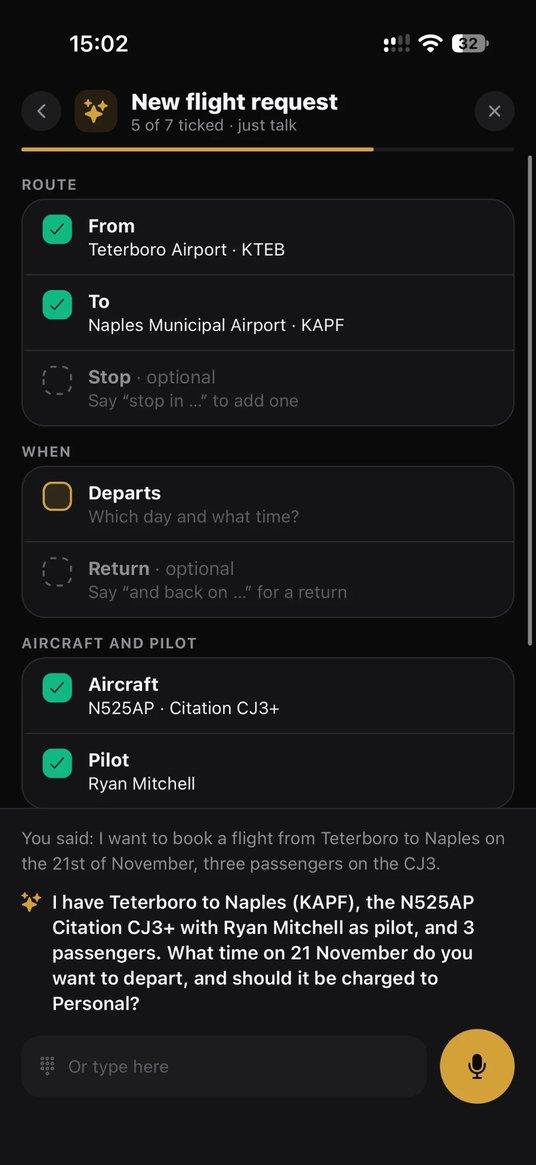
Aerio Assistant
Just say where you're going
“Teterboro to Naples on the 21st, three passengers on the CJ3.” Speak or type it and Assistant fills in the request, asks only what's missing, and books nothing until you confirm. It answers questions about your flights, fleet and hours too.
- Book by voice or text
- Asks when an airfield or time is unclear
- Nothing is booked until you confirm
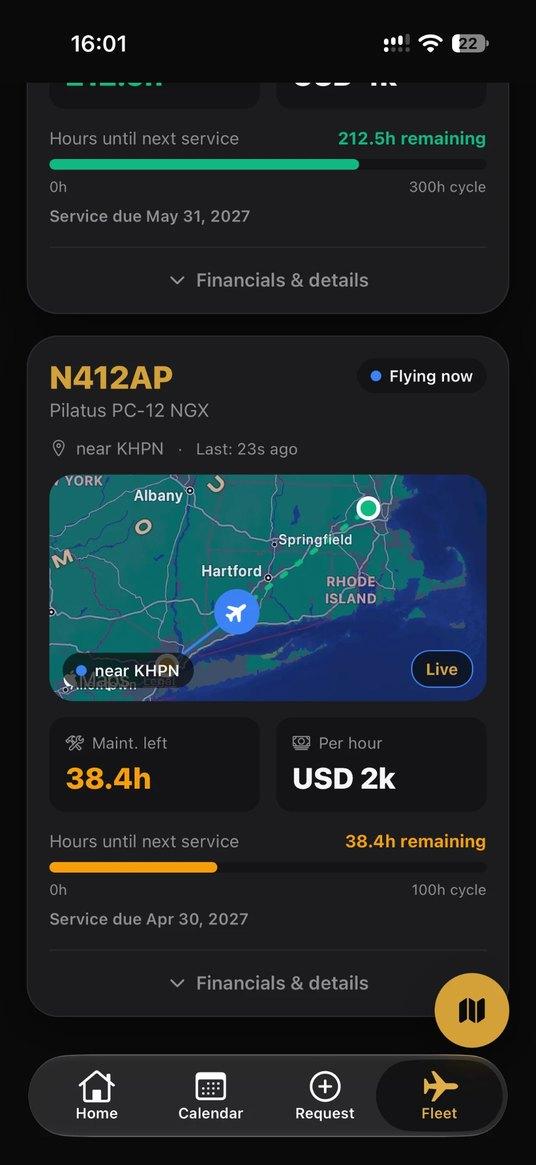
Fleet
Live location, maintenance & costs
Track every aircraft's location, hours to next service, and hourly cost. Owners and operators always know what's ready to fly.
- Live aircraft location
- Maintenance countdown & service dates
- Hourly cost & availability
Statements
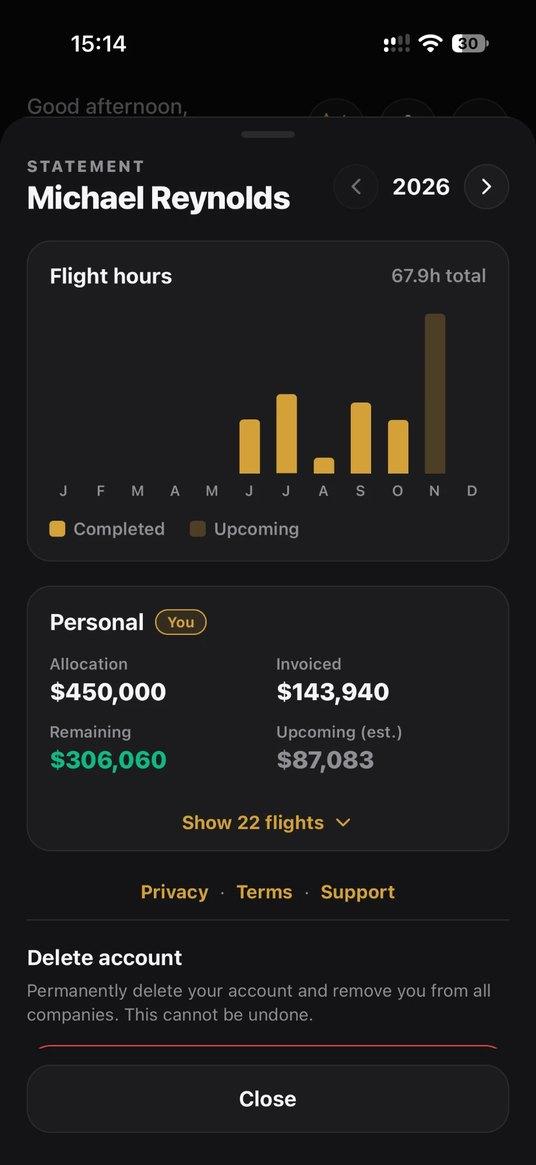
Financial clarity, per owner
Flight hours, allocations, invoiced amounts, and what's still to come — a clean statement for every owner and department, no spreadsheet required.
- Flight hours at a glance
- Allocation vs. invoiced vs. remaining
- Per-department breakdowns
iPhone & Apple Watch
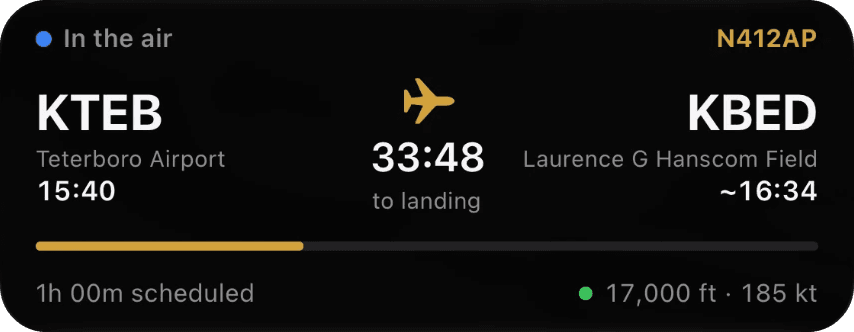
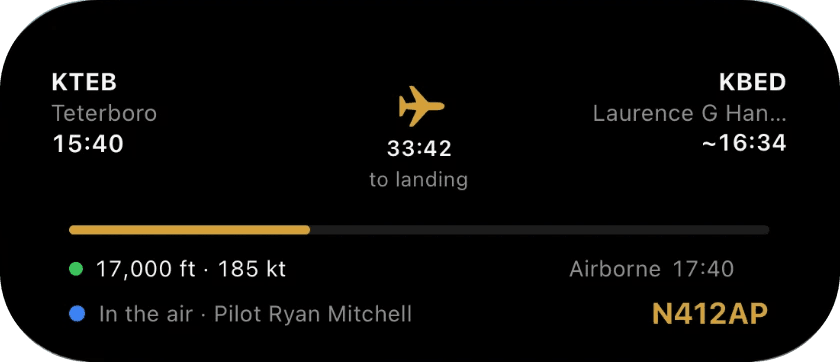
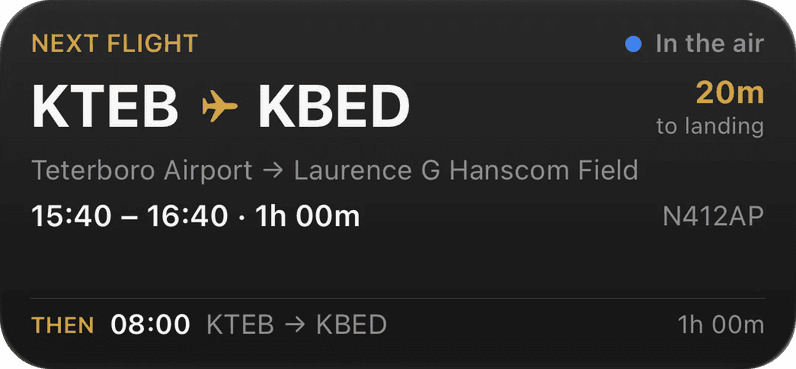
Your flight, without opening the app
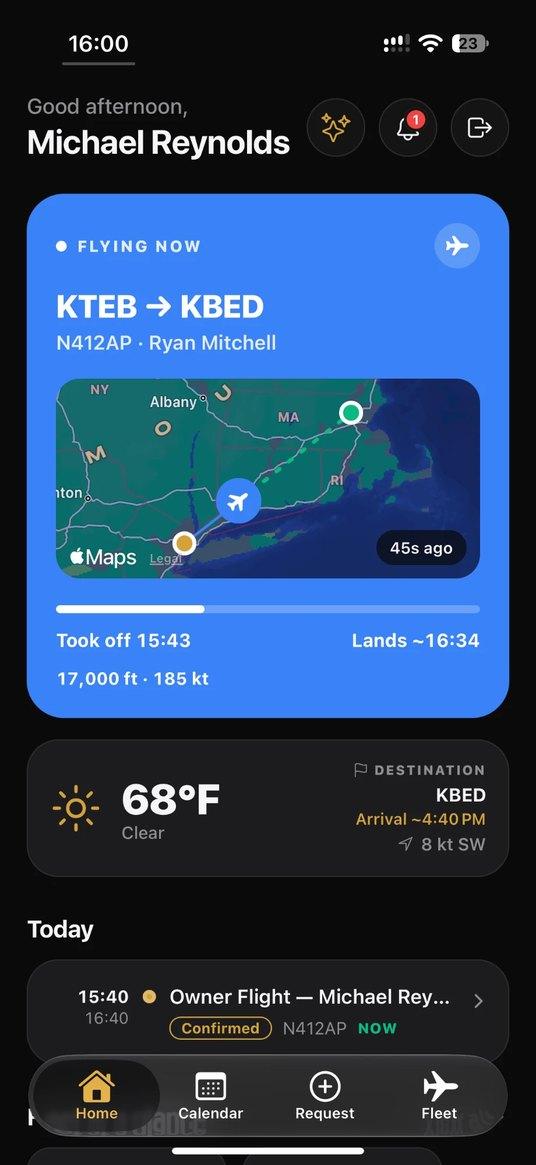
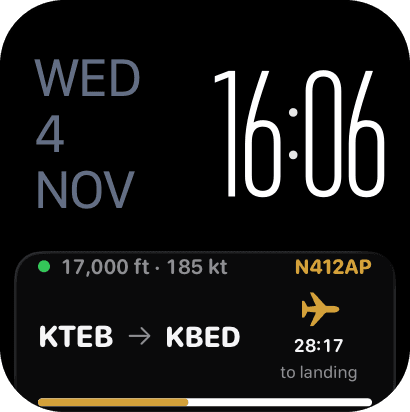
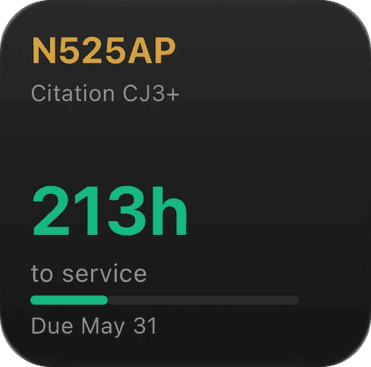
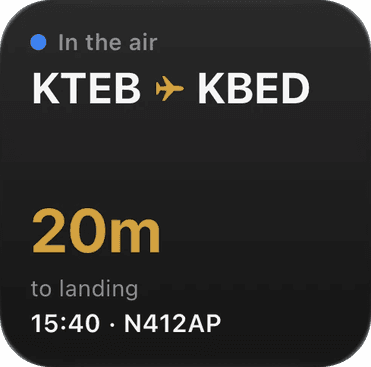
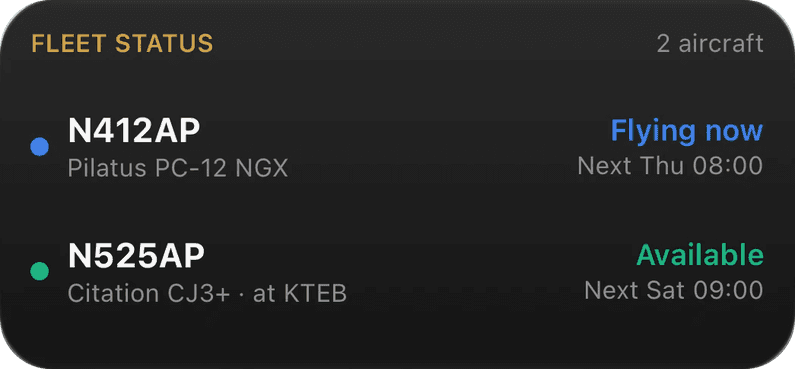
From take-off to touchdown the flight lives on the Lock Screen, in the Dynamic Island and on Apple Watch — altitude, speed and the landing estimate straight from live tracking. Home Screen widgets keep the next flight, the fleet and maintenance in view.
- Live Activity on the Lock Screen & Dynamic Island
- Altitude, speed & landing estimate
- Apple Watch Smart Stack
- Home Screen widgets

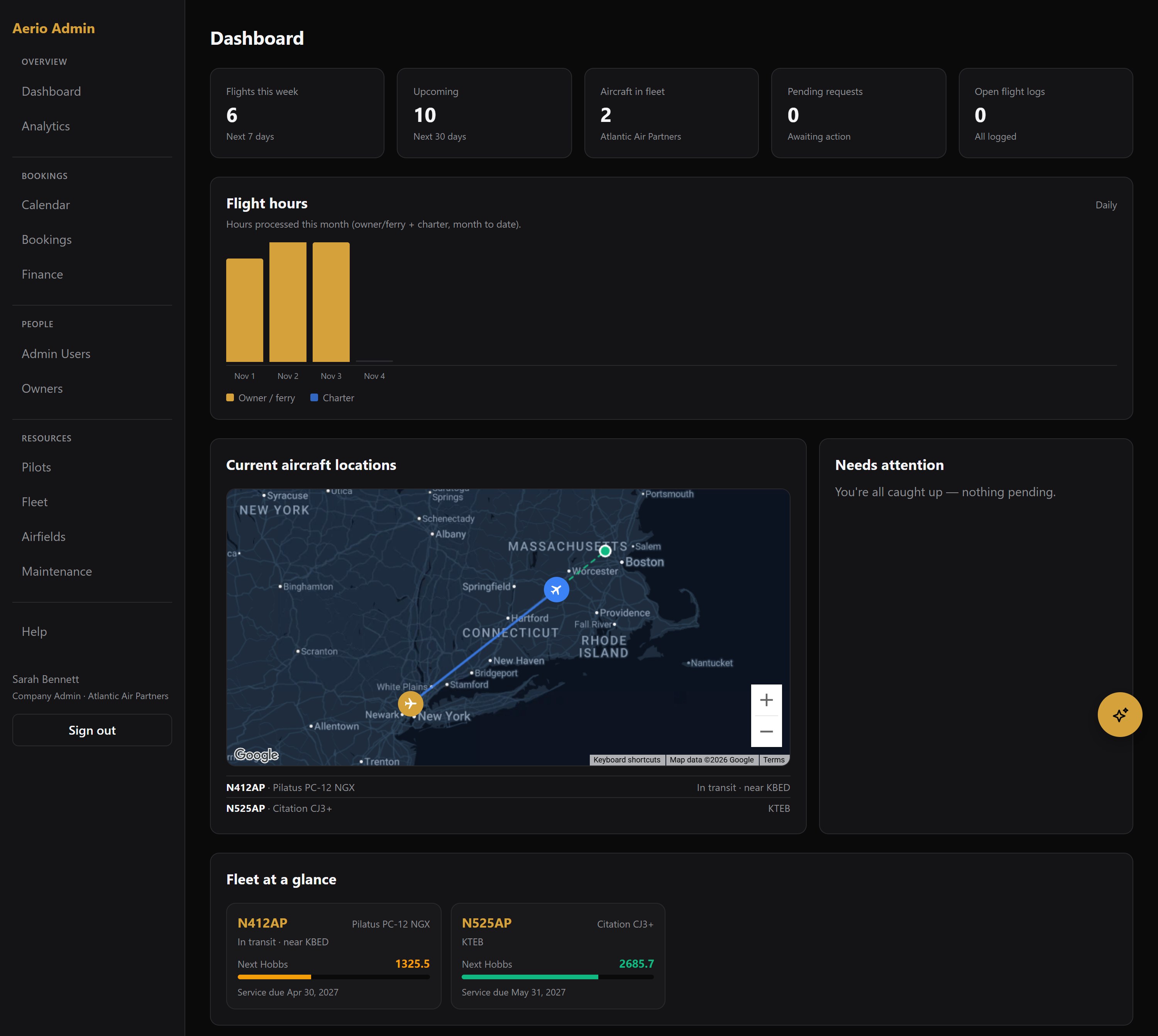
Operator console
The command centre for your operations team
Every aircraft, booking, approval, and maintenance countdown on a single screen. Your dispatchers see where the fleet is right now, what's waiting on them, and what's due for service — long before it becomes a problem.
- Live aircraft positions on one map
- Requests, approvals & open flight logs in one queue
- Predictive maintenance with book-by dates
Charter operators
Charter out your aircraft — on your terms
Give a linked charter operator scoped access to your fleet and live availability, so they can fill empty legs and generate revenue — while you stay firmly in control.
Permission-based access
Share availability, not your books
Grant a charter operator a live window into what's ready to fly — never your owner financials or statements. Every charter still routes through your approval and the same conflict engine before it's confirmed.
- Grant or revoke charter access at any time
- Operators see fleet readiness & availability — not financials
- Owner approval + conflict engine on every booking
- Charters appear colour-coded on the shared calendar, live
Built for the whole operation
Three roles, one connected system

Pilots
Assignments and rosters on your phone, complete with route, aircraft, and airfield detail — plus rest-time and qualification safeguards.

Owners
Request flights in a few taps, see your aircraft's full calendar, approve charters, and track usage with transparent statements.
Operators
Approve bookings with confidence, manage fleet, crew, and airfields, and keep an immutable audit trail on every change.
Questions we hear first
What is Aerio?
Aerio is the operating system for a private aircraft fleet. Owners request flights, pilots see their schedule, and the company keeps the calendar, fleet, and audit trail in one place.
Who is Aerio for?
Aerio is for aircraft owners, the pilots who fly them, and the companies or charter operators who run the fleet.
How do we get started?
We set up your company, aircraft, owners, and pilots for you. Email hello@aerio.flights and we will walk through the fleet with you.
Can I try it before signing up?
Yes. The Owner demo on the Aerio website lets you click through a sample fleet before you talk to us.
Which countries do you support?
A company picks a home country when it is set up. That country sets the currency, the way numbers and dates are written, and the starting units. The same Aerio apps are used everywhere.
How are time zones handled?
Aerio stores every departure and landing as an exact instant, then shows the wall clock of the airfield. A Cape Town-Lanseria sector stays on company time with no zone label. A Johannesburg-New York sector shows each airport's local clock, with an abbreviation only when the clocks actually differ. Widgets, Live Activities, notifications, and calendar events use that same requested time. The phone and the browser decide 12-hour or 24-hour.
What is Aerio Assistant?
Aerio Assistant is an optional helper in the admin site and the phone apps. You can type or speak a booking or a change; it drafts the flight and only writes it after you confirm. Voice clips are transcribed and are not kept. A company can turn Assistant off.
How much does Aerio cost?
It depends on fleet size and the number of users. Contact hello@aerio.flights and we will quote for your operation.
Ready to leave the spreadsheet behind?
See how Aerio brings your owners, pilots, and operations onto one platform. Reach us at hello@aerio.flights.